
Vibe CRM: I tried building a basic CRM with Claude Code
2 May 2026
8 min read
I used Claude Code to build a local-first CRM around markdown files, lead folders, and conservative intake routing. The biggest lesson was that input mattered more than the table view.
Jump to downloadables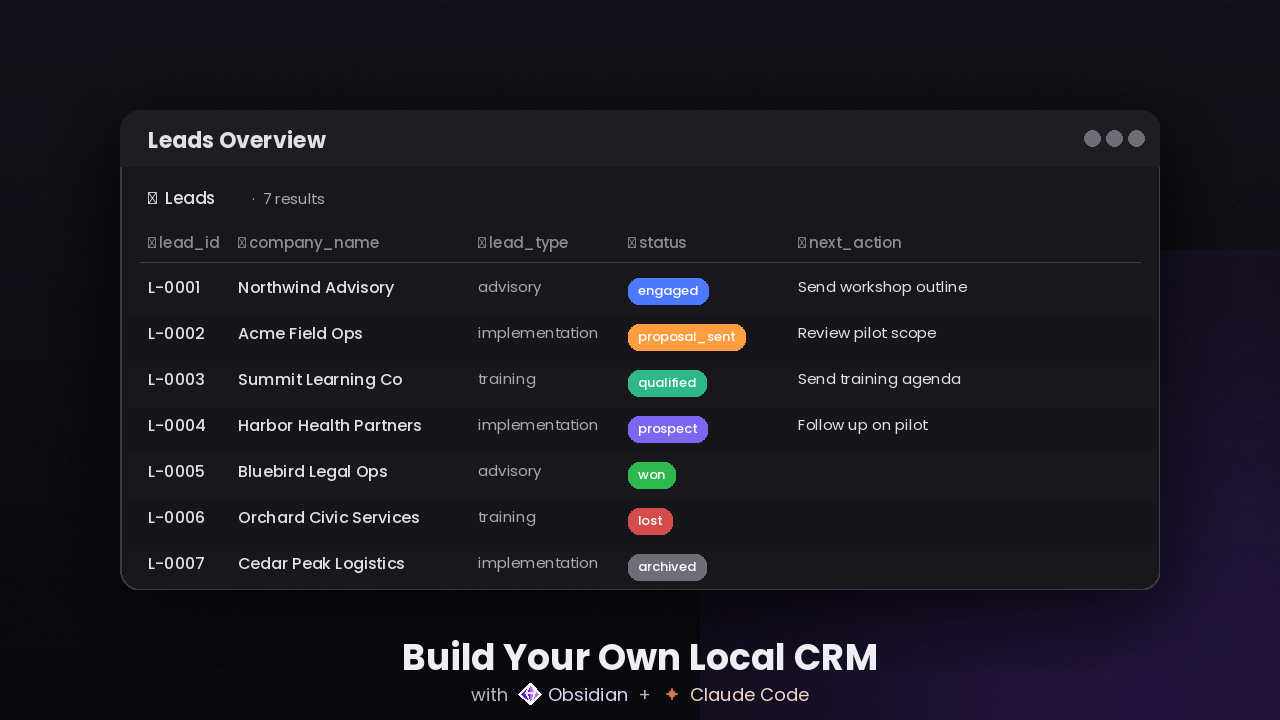
TL;DR
- Markdown beat Excel because the source material stays readable for both humans and AI, while Obsidian still gives the overview layer when needed.
- Google Drive with desktop sync gave me the local-first feel without sacrificing backup, safety, or collaboration.
- Obsidian worked well as the UI because it made the file-based system feel structured without turning the files into a hidden backend.
- The hardest part was not the lead table. It was getting meeting transcripts, voice notes, emails, and summaries into the system without making data entry feel like a chore.
- The inbox became essential because it gave AI a safe place to stop when routing was uncertain instead of forcing the wrong decision.
Why I built it
I wanted to see if Claude Code could help me build a basic CRM that I would actually want to use.
Not a giant custom app. Not a polished SaaS clone. Just something simple that could live in my own files, sync across my devices, and stay understandable without special infrastructure.
Once I started building, the interesting part was not the table view. It was the context behind each opportunity: emails, meeting notes, transcripts, copied fragments, and voice notes. That is where the relationship actually lives.
The real challenge was never storing lead fields. It was preserving messy business context without turning the CRM into clutter.
The short version
The system is local-first and markdown-native.
At the center of it is one simple idea:
- one opportunity equals one lead folder
Inside each lead folder, I keep:
_lead.mdfor the canonical structured fields_summary.mdfor the current narrative understanding_timeline.mdfor factual chronology_open_loops.mdfor unresolved items_next_steps.mdfor the current recommendation layercontext/for the raw evidence
Around that, I added an inbox for uncertain items, an internal area for internal communication such as team meetings and internal email context, and a junk area for noise or low-value captures.
The architecture
The working vault looks like this at a high level:
.
|-- LEAD_SCHEMA.md
|-- INBOX_SCHEMA.md
|-- Inbox Overview.base
|-- OPERATING_RULES.md
|-- README.md
|-- .claude/
|-- inbox/
|-- integration_state/
|-- integrations/
|-- internal/
|-- logs/
`-- leads/
    `-- L-0001 Acme Corp/
        |-- _lead.md
        |-- _summary.md
        |-- _timeline.md
        |-- _open_loops.md
        |-- _next_steps.md
        `-- context/
The separation between these files matters because it reduces drift. It is much easier to see what is structured fact, what is interpretation, and what is raw source material.
The inbox matters because not every incoming item should be forced into a lead. Some things are clearly lead context. Some are clearly internal. Some are junk. And some are useful but still ambiguous.
That ambiguous category is exactly where most AI mistakes happen, so giving it a safe destination changed the quality of the system a lot.
Why markdown beat Excel
My first instinct was still Excel. As a human, I love the spreadsheet interface. It is great for scanning, filtering, searching, and getting overview quickly.
But that was also the aha moment: Excel is a strong interface for me, not necessarily the best source format for an AI-native workflow.
Excel is a great view layer for humans. Markdown is a better source format for AI.
Markdown is just text. Large language models are built to work with text, language, and long context windows. They do not need a spreadsheet parser to understand a markdown file tree.
That meant the raw source material, the structured record, and the working notes could all stay in one inspectable system instead of being split across incompatible layers.
Obsidian completed the picture for me. It became the UI for browsing everything. I still get table views through Obsidian Bases when I want them, but the files remain the source of truth.
And if I want a filtered lead list, I do not actually need Excel anymore. I can ask the agent for it.
Why Google Drive with desktop sync worked
Purely local storage feels nice at first, but it breaks down quickly if you care about collaboration, backup, or operational safety.
If your laptop dies or gets stolen, purely local is fragile. If multiple people need to work with the same system, purely local is also not really a team setup.
Google Drive with desktop sync was a simple compromise that worked well.
- the files still feel local
- the vault stays easy to inspect
- sync is simple
- backup is built in
- collaboration becomes possible
For this project, that was enough infrastructure without adding unnecessary complexity.
The real problem was input
The hard part was keeping context flowing into the CRM consistently.
In the manual version of this workflow, you keep copying email threads, meeting notes, transcripts, and voice notes into the Claude Code chat window. That works for a while, but it starts to feel like a chore fast.
You postpone it, forget it, or only do it for the most obvious moments. Then the CRM starts lagging behind reality, which kills a lot of the value.
So a big part of the project became building an input layer that made capture feel natural instead of manual. I wanted context to arrive from the tools already used during the day, without needing another repetitive step each time.
That is where the Alayans input tools became useful:
- the mobile app for capturing in-person meetings and voice notes
- the Chrome extension for online meetings and related context such as participants
- transcripts and summaries that can be routed into the vault safely
That automated input layer is what really unlocked the time saving for me. Once the context arrives with much less friction, the CRM can actually stay current without turning into more admin work.
Why the inbox mattered
Even with strong inputs, the system still needs a place for uncertainty.
Without an inbox, AI-assisted intake becomes too confident. It starts forcing decisions it should not be making, especially when multiple leads are plausible or when the source material is incomplete.
The inbox gave the system a much safer behavior:
- let the agent handle the obvious routing
- keep uncertain items reviewable
- prevent bad assumptions from leaking into lead folders
That single design choice made the workflow much more trustworthy.
The skills that made it usable
A lot of the usability came from splitting the workflow into separate skills with separate jobs.
The setup skill
The setup skill connects the vault to the Alayans input pipeline for customers who already use the Alayans tools. It is not just a one-time install script. It also configures the local workflow for ongoing intake, including the automation that fetches fresh context on a recurring basis.
That matters because the whole point is to reduce the operational friction of keeping the CRM up to date.
If you are not a customer yet, the right next step is to request an API key for the input pipeline first.
Need access to the input pipeline?
If you are not an Alayans customer yet, request an API key first so the setup skill can connect your vault to the automated intake workflow.
Request API keyThe manual fetch skill
This one is much simpler. It runs the installed importer now and returns a clean operational result. Useful when you want to force a refresh immediately instead of waiting for the scheduled fetch.
The manual context intake skill
This is for the non-automated path. When you copy and paste an email thread, meeting transcript, summary, or freeform note into the agent, this skill decides whether it belongs to a lead, to internal communication, to junk, or to the review inbox.
That means the system still works even when context arrives outside the automated pipeline.
What I learned
- markdown worked better than a spreadsheet-first approach because it matched the way an LLM actually reads and reasons over information
- Obsidian was a strong UI layer because it gave me a single place to browse files and still use structured views when needed
- Google Drive with desktop sync was a practical answer to backup, sync, and collaboration without losing the local-first feel
- input is the hard part, not the lead table
- the inbox was essential because safe routing beats confident guessing
- one opportunity per folder was the right level of granularity
Closing
What made this interesting to me was not that I built a CRM in markdown.
It was that once I treated input as the real problem, the rest of the architecture got much clearer.
The system stays local, inspectable, and simple. The agent helps with routing, classification, and selective updates. And when certainty is low, the system has a safe place to stop instead of guessing.
That made this useful much faster than I expected.
Downloadables
Vibe CRM project
A clean version of the full project so you can start with the same folder structure and workflow directly.
- Download the project package.
- Extract it to a folder, preferably inside Google Drive, SharePoint, or OneDrive.
- Open that folder in Claude Code.
- Start using the project and adapt it to your own workflow.
- Optionally, add the Alayans setup skill to configure the automated intake pipeline.
Alayans setup skill
Optional
An optional setup skill that connects the project to the Alayans input tools and configures the recurring intake workflow.